- Overview of Business Matching Service
- SusHi Tech Tokyo 2026 is Asia's largest global innovation conference. It is a platform where people from wide range of industries around the world can gather, connect and conduct business discussions
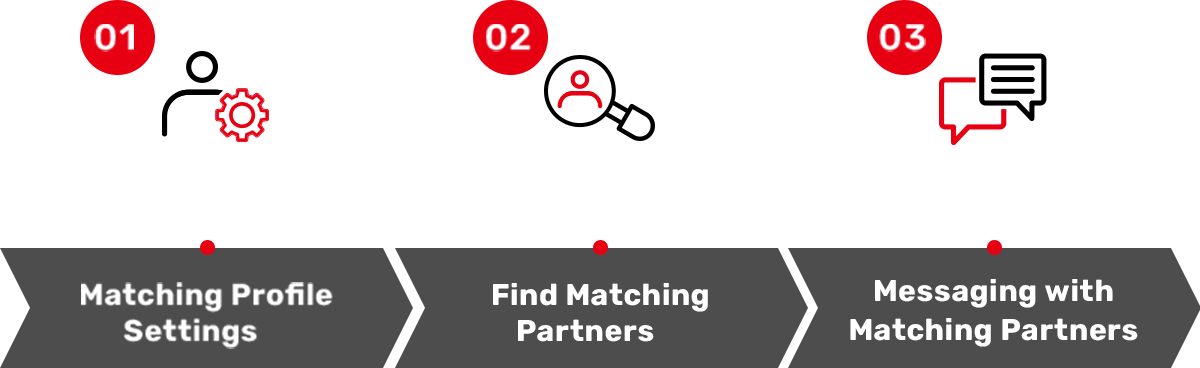
- Easy 4 Steps
-
From opening the app to booking a business meeting, everything can be completed in just four simple steps.
This service enables meaningful matches that can lead to future business opportunities.
Drive business growth through a combination of purpose driven matching and the discovery of new possibilities -
- Find the Right Business Partners with AI
- Simply describe your meeting objectives, areas of interest, and desired criteria. Our AI will search for and recommend potential partners that match your needs. Why not explore new business possibilities with AI?
*This feature is scheduled to be released after the end of March. - Connect with a Thoughtful Message
- This is a valuable opportunity to connect with companies you might not usually encounter.
If you find a potential match, don’t hesitate to reach out.
【Sample Message 1】
“Nice to meet you. My name is △△ from ○○ Corporation.
I am very interested in your initiatives in the ○○ domain and wanted to reach out.
Our company is engaged in ○○, and I believe there may be potential synergies between our organizations.
I would appreciate the opportunity to exchange information if possible.”
【Sample Message 2】
“Nice to meet you. My name is △△ from ○○ Corporation. We are a startup providing ○○ in the ○○ space.
We are currently working toward ○○ and are in the process of raising capital.
Given the alignment with your investment focus, I felt it would be valuable to connect.
I would appreciate the opportunity to introduce our business.” - Book Meetings and Add To Schedule
- Large number of meeting booths will be available at the SusHi Tech Tokyo 2026 venue. Once you have agreed on meeting date and time with a matched partner, please reserve a meeting booth in advance. After the reservation is completed, the meeting will be automatically reflected in your “My Schedule” within the app, allowing you to manage all meetings in one place.
Note:- Booth reservation is officially confirmed once the “Reservation Complete” screen is displayed.
- Please be sure to complete all steps of the booking process.
- Export Your Meeting Partner List as CSV
- Eliminate the hassle of post-event business card management. From QR Code Business Card Exchanges to meeting partner information, all data can be consolidated into a single list. You can export the data as a CSV file, enabling smooth integration with your contact management process. Turn QR card exchanges and meeting outcomes into actionable next steps.
Note:- QR Code Business Card Exchange: Exchange contact information seamlessly via QR codes. Allows for immediate capture of information, enabling efficient and time effective networking
- QR business card exchange feature is built into this app. Please refer here for details.
- CSV export function is available for QR business card exchange contacts, meeting partners, and matched users with whom messages have been exchanged via chat.
- Users who have not agreed to the Business Matching System Terms of Use will not appear in the matching list.
- This feature is scheduled to be released after the end of March.
- This feature is available only on the official website. It is not available in the official app.
- Your login information for the official app is also valid on the web page. Therefore, features such as Business Matching and exchanged business card information will be reflected on both the official app and the website.
- Information obtained through QR business card exchange can be downloaded from the website. This download feature will become available after the event period has ended. Please note that downloads cannot be performed from within the official app.
- If the official app is not functioning properly—such as the app not responding, images displaying incorrectly, or the camera not working—please try the following steps first.
- Restart the app
- Close the app completely and launch it again.
- Check your internet connection
- Open your smartphone’s Settings and ensure that Wi‑Fi or Mobile Data is turned ON. Depending on your device’s network environment or data restrictions, the app may not load correctly.
- Check for app updates
- Open the App Store or Google Play Store and confirm that the app is updated to the latest version. If an Update button is displayed, please update the app.
- Allow camera access
- In your smartphone’s Settings, make sure that the SusHi Tech Tokyo 2026 Official App is allowed to access the camera.
- Check your OS version
- We recommend the following OS versions:
・iOS: 15 or later
・Android: 10 or later - Enable push notifications
- In your smartphone’s Settings, ensure that Notifications for the SusHi Tech Tokyo 2026 Official App are turned ON.
*The user manual will be released soon.
Key Features of the Business Matching System


Enhance your business
matching experience with the app!
The official app for SusHi Tech Tokyo 2026 provides visitors with the latest updates. Future updates will introduce exclusive features such as event registration available only through the app, along with convenient tools to enhance your experience at the venue. Among these, the business matching function—designed to make meetings more effective—is scheduled for a major upgrade, so please look forward to it. Download the app now and make the most of it during your visit!
*Information within the app will be updated progressively. *Images are for illustration purposes only.
Major
renewal